Archive for the Tips & Tricks Category

How To Print Cheap Business Cards?

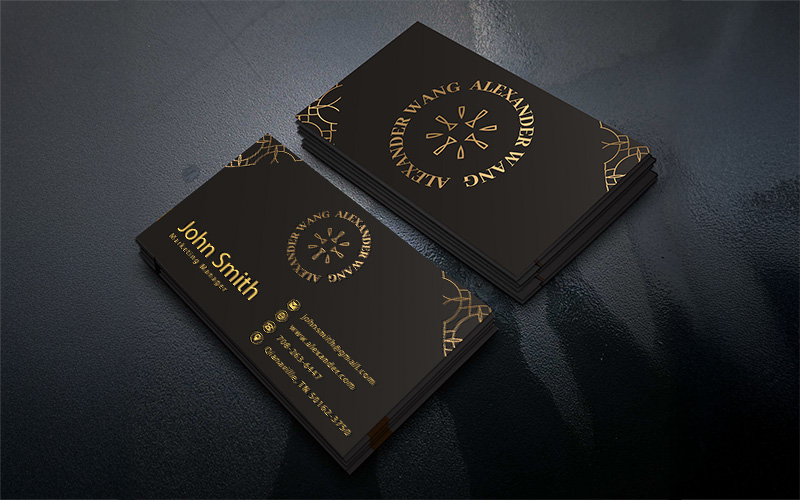
Business cards are one of the best ways to promote yourself, especially if you are in a small business with limited capital. There are many people that you will come across in your everyday life and give a business card for promotion. If you are distributing good number of business cards everyday you will need to opt for cheap business card without compromising on quality. Here are a few tips through which you can get cheap business cards printed:

  • If your requirement is large, printing cards in bulk is the best option as they bring down the cost of printing per business card considerably.
  • In case you plan to print a small number of cards it is advisable to choose digital printing over the traditional offset printing. For low volumes offset printing doesn’t make sense.
  • You can cut down on the designing cost by designing the cards yourself. There are a lot of softwares like MS Publisher, Corel Draw, Adobe Photoshop which lets you design the cards yourself.
  • Different paper come at different rates. You need to do a thorough research on the kind of paper available in the market. You can reduce costs by choosing the right paper quality.

  • A single color business card may not look as attractive as a four color one but it can bring down the printing cost heavily. A well designed single color business card looks very attractive.
  • Look for printing service providers who offer discounts on printing business cards. You can use the Internet for finding out printers which offer discounts on business cards printing.
  • You can use mini cards which are smaller in size compared to the standards ones. They save you a lot of money as they consume less of printing paper which accounts for substantial cost in terms of printing.
  • Look out for the lean season that printing service providers have. This is the time when you can get a good bargain from the printer and negotiate the deal on your own terms.

To print cheap business cards you will need the services of a good printer who gives you very competitive rate. PrintPapa is one such printing agency which will meet your needs. They are well equipped with the latest printing technology and have expertise in printing banners, business cards, calendars, envelopes, catalogs, booklets, books, letterheads etc. It has regularly satisfied customers with its high quality printed material on time.

Date: 31st August, 2010 | Under: Tips & Tricks | No Comments

How To Promote Energy Conservation Through Posters?

Do you see wastage of electricity in your workplace, educational institution or some public place that you visit regularly. Wastage of electricity through lights, computers and air conditioners when no one is using them is common in today’s world. People do not seem to mind wasting electricity in such places as they do not have to bear the cost. Posters are one of the best ways to make people aware of the need to conserve energy. Here are a few ways in which posters can be used to promote energy conservation:

  • It needs to be promoted among the audience every watt of energy saved is equivalent to the energy produced. The poster should educate people on the common mistakes that they do which leads to wastage of energy.
  • Identify the places in your workplace, educational institution where maximum energy wastage takes place. You can put up some awareness posters on energy conservation in such places.
  • Use facts and figures to raise awareness among people about energy saving. Many people aren’t even aware of how much electricity that they can save if they make some serious attempts to do so.

  • Highlight the ill effects of electricity wastage like dwindling coal and petroleum resources which will run out of stock in the near future.
  • Use graphics and images in your poster to promote energy conservation. Posters look appealing when they carry graphics and images. Many people take interest in a poster only when it comes accompanied with pictures and graphics.
  • Make sure that the posters are placed in the line of sight and not in some isolated corner. The more people see it, more are the chances of people starting to save energy.
  • The poster should also make people aware of the alternate sources at their homes. It could be using the solar power or the power of the wind.
  • Keep the background color of the poster black or any other dark color which converts seriousness of the message. Things in brighter color usually do not convey the seriousness.

A well designed and printed poster is what you will need for this campaign. You need to go to a professional printing agency like PrintPapa for this job. They are equipped with all the latest printing technology and have expertise in printing banners, business cards, calendars, envelopes, catalogs, booklets, books, letterheads etc. The biggest testimony for PrintPapa is the satisfaction of its clients who have got quality results on time.

Date: 31st August, 2010 | Under: Tips & Tricks | No Comments

How to Buy Your Own ISBN Number And Becoming A Publishing House?

In the publishing industry only one thing that separates between a publisher and a non-publisher is the ISBN number. The International Standard Book Number or ISBN number as it is simply known is the key value that identifies the publisher of a book in all of the online databases and inventory systems used worldwide. ISBN number is very important as without it you won’t be able to sell your book through online platforms such as Amazon.

This unique 10-digit number identifies books and book-like products published internationally right up to an individual publishing house. An ISBN number has four parts: the country identifier, the publisher identifier, the title identifier and the check digit.

If you take your book to a publishing house they get an ISBN number on your behalf but in case you are into self publishing you will need to get this done by yourself. This service is free of cost in some countries while charged in others. There are more than160 ISBN Agencies worldwide and each of these agencies is exclusively appointed for a geographical area and a country in most cases. Here are a few things you need to keep in mind while applying for an ISBN number:

  • Fill up an application form with your designated ISBN agency and pay the processing fees in case it is applicable in your case.

  • Give complete details of publishing firm name, complete address and contact numbers and details of a particular original publication. This is a must for ISBN numbers as incomplete forms are usually rejected.
  • If you want to turn a full time publisher it is better that you apply for multiple ISBN numbers to assign to your future books. Most publishers do the same and get ISBN numbers in bulk. This process is also cost effective.
  • The process takes about 15 business days in most countries. In case you want it earlier you can opt for services like Express ISBN Number. This will however come at a price but will guarantee you an ISBN number in two business days.

Once you get your ISBN number you need to get your book printed through a professional printer and print the ISBN number at the back of your book. This is where a printing agency like PrintPapa can come in handy as they have delivered quality printed materials on time to their clients over the years. They use the latest technology in printing and have expertise in printing brochures, catalogs, letterhead, business cards, posters, banners and all other types of printed materials.

Date: 2nd August, 2010 | Under: Tips & Tricks | No Comments

What Software To Use For Writing Books?

The advent of the personal computer empowered the authors to typeset their own books. Many authors gave up the older way of writing a book and getting the manuscripts typed before taking it to a publisher. These days all you need to do is to prepare a digital copy of your book using a word processor. Unlike the typewriter, computer softwares allow you flexibility in editing your book from any where in the middle. You have the flexibility to delete and add new things in the middle of a paragraph.

These softwares don’t just allow you to write your book but make your life easy with a whole lot of additional features. They check your spellings and highlight any errors matching with the inbuilt dictionary which have versions from all the major languages in the world. Some advanced softwares can also advise you on sentence constructions They allow you to format paragraphs at one go, insert graphs, tables and histograms. Some of the popular software used for writing books are:

  • Microsoft Word: This is perhaps the most recognized word processor in the world. The reason for it’s popularity is it’s user friendly interface. The latest versions also gives you suggestions on the sentence construction which is far ahead of it’s competitors.
  • Open Office Writer: MS Word’s greatest competitor in the open platform. This software has an interface similar to MS Word and does almost everything that Word does. The biggest advantage of Open Office Writer is that it comes absolutely free and can be easily downloaded from the Internet.
  • Corel WordPerfect: This is not as popular as Word and Writer but does the same work as both of them do. It has a very user friendly interface. For those who like dictating than typing this software serves as a better option than it’s popular competitors.
  • Adobe PageMaker: Although the development of this software has stopped, it remains one of the favorites of many people till date. It gives the option to customize the page more than most word processors. It takes a little time for you to get adjusted to PageMaker but once that is done there is no software like PageMaker.
  • K Word: This software was once very popular with many authors for it’s user friendly interface. The software off late is going through regeneration to challenge it’s competitors.
  • Mellel: This word processor is very popular with the users of the Macintosh platform. This is marketed especially for the technical and academic writers.

It is important that you get your book printed from a professional printer after writing it using the above software. You can hire the services of a printing agency like PrintPapa in this regard. They have expertise in printing rack cards, letterheads, business cards, brochures, posters etc. other than books.

Date: 16th July, 2010 | Under: Design Tips, Tips & Tricks | No Comments

What Kind Of Topics Are Popular Among Self Publishing Authors?

Self publishing has gained immense popularity in the recent years. With the entry barrier low in the industry many author are turning towards self publishing. This relieves them of the terms and conditions of the publishers and lets them keep the entire profit. They have full creative control over their work and do not need to comprise with the content because of commercial interest of the publisher.

There is however a trend in the self publishing industry and not all author turn towards self publishing. Many authors have to turn towards self publishing as many established publishers do not want to publish their off beat books. There are certain genres of books that are popular among self publishing authors. Some of the popular topics among self publishing authors are:

•    Crime: This genre is often written from the protagonist’s point of view. This scares publishers  who don’t want to take the risk with such viewpoints. This is a very popular genre among many first time authors who opt for self publishing.
•    Religion: Self publishing authors often write religious books on a very small sect of a religious group. These books target a very niche audience and are not guided by commercial interests. It holds minimum value to a publisher looking for profits.


•    Fantasy: This genre goes as far as the imagination of the author and most of the times involves magic, mystic elements or supernatural creatures which are high risk topics for an established publisher. Fantasy is not always accepted by the readers.
•    Romance: It is one of the most popular topics among the self publishing authors who write their own love stories rather then a completely fictional one.
•   Science Fiction: Another favorite of the many first time authors. Most publishers consider these authors to be crazy and they opt for the self publishing route. Most of the recent science fiction books have been through the self publishing method.
•    Adventure: Adventure has been favorite with the authors for centuries. Many have written on their real life experience while others have written upon their fantasy. These days adventure has become very popular with the self publishing authors.

Self publishing has come as a god sent angel to many authors who are able to publish their work the way they want to. It is however important that an author chooses a professional printer for publishing the book. This is where a printing agency like Print Papa comes in handy. They are equipped with the latest technology and have expertise in printing booklets, brochures, rack cards, flyers, newsletters and presentation folders among others.

Date: 15th July, 2010 | Under: Tips & Tricks | No Comments

Five Important Self Publishing Facts

There is a lot of talk about self publishing these days in the market. Many renowned and first time authors prefer to go the self publishing way than to go to a renowned publisher. The rising popularity of self publishing also makes it a victim of many myths that surround it. Some are created out of ignorance while others due to commercial interests of the publishers. Here are five important facts about self publishing:

  1. You Are The Boss: First and the foremost fact is that in self publishing you are your own boss. You have complete creative freedom to work for the book on your own terms. If your book becomes popular with the audience then there will be many publishers knocking on your door willing to re-publish your book on your terms.
  2. It Is Easy: Far from the popular myth that typesetting and designing a book is difficult, on the contrary it is a very easy job. Most of the publication softwares have custom made templates for setting a book. You do not need rocket science to use them. Most of the processes in these softwares are self explanatory and in case you have doubts you can seek help from the Internet.
  3. It Is Cheap: Self publishing seems expensive from outside but inside it is quite cheap as you can save a lot of money by doing some of the jobs yourself. Regular publishing softwares are enough to help you design your book. You don’t need to buy those expensive softwares like your publisher and can achieve quality results even with the MS Office package. With Print On Demand you can print any quantity of books without spending a fortune. For e.g. we at PrintPapa can print only 5 Books at a very low cost. Check it out.
  4. Copyright Is Yours: You get to keep the copyright of your book unlike the case of going to a publisher. This gives you the freedom to reproduce the book in a new form, edit it for future editions and even sell it to a publisher if you get a lucrative sum of money and lifetime royalty.
  5. Niche Books: Many publishers do not publish books for niche audience as they are not commercially viable. In self publishing you do not have to face such hurdles as you are the publisher yourself and being so you are not accountable to any individual.

A good book should be complemented by quality printing and you should hire the services of a renowned printing agency like Print Papa. They have been in the printing industry for quite some time and have latest printing technology at their disposal. They have built expertise in printing booklets, stickers, calenders, labels, NCR forms and rack cards and a host of other domestic and corporate printing materials. Check out our Soft Cover Perfect Binded Book Section and get a instant quote to find out how much your book will cost to print.

Date: 14th July, 2010 | Under: Print News, Tips & Tricks | No Comments

How To Print A Cheap Presentation Folder?

Presentation folders are regularly being used these days in the corporate world. Along with letterheads, business cards and envelopes they are perhaps the most recognizable corporate document.  Presentation folders are included in many activities include a meeting, conference, business report, sales report, seminar, presentation and many others of this nature. People these days are looking to reduce the cost of presentation folders to cut down on the overall cost. Here are a few simple ways in which you can bring down the cost of a presentation folder:

  • Presentation folders are used mainly for one off purpose so you can justify selecting a paper which is not very expensive. For that reason our 12pt C2S is a winner. For the low price, it does not sacrifice the quality.
  • Many presentation folders have a number of pockets and flaps around them. These increase the cost of the presentation folders. Cutting down on the number of pockets and flaps is an ideal way to reduce costs. In our short run folder you can choose to have one or 2 pockets, thus reducing the cost.

  • Opt for a full color printing for your presentation folder instead of custom PMS colors. This can bring down the printing cost by many folds. Nowdays it is cheaper to print in full color then to print in 1 or 2 colors.
  • Print exactly the number of copies that you need. Most of the time you will lose more money in case of extra prints than to anything else. A little bit of planning can ensure that you know the exact number you need for your event or seminar. In our Short Run Folder there are various quantity breaks, thus keeping the wastage to minimum.
  • Some printers do not charge you on the shipping cost and if the printing rates are cheaper, you can get it printed from a far away location if it gives you huge discounts. We offer $25 credit on UPS ground if your order is $150.00 and above. So that is also a great savings.

Hiring the services of a printer like PrintPapa which regularly offers discounts to its customers can help you further. They have been in the print business for long and have years of experience in printing and print promotions. Equipped with the latest technology as far as printing is concerned makes them the ideal choice in the market. They have built expertise in printing both domestic and corporate materials like brochures, calenders, banners, doorhangers and rack cards. Over the years they have built a list of successful clients.

Date: 12th July, 2010 | Under: Design Tips, Tips & Tricks | No Comments

Tips For Successful Flyer Advertisement

There is no advertisement tool which is better and cheaper than the flyer. Although posters and banners also serve the purpose of promotion, there is nothing better than a flyer as it can be more targeted and much cheaper. Here are a few tips to create a successful flyer advertisement:

  • Focus on Theme: It is very important that you focus on the theme which needs to be carried all throughout your advertisement. Branding your business should be your biggest goal while using a flyer for the purpose of advertisement. Your branding should be so powerful that people immediately recognize your brand name and logo even if they just take a glimpse on it. A catchy slogan which promotes the theme of your business also makes the flyer look good.
  • Target Your Audience: It is important for you to identify your target audience and focus on them rather than going for a general campaign. One of the most common mistakes that businesses make when advertising is not getting a ‘handle’ on the market they are targeting. In case you are promoting a sports event or a rock show distributing the flyers among the aged group won’t serve your purpose. You need to focus on the youth for the success of your campaign. Distributing flyers near educational institutions, shopping malls and movie theaters would serve ideal in this regard.
  • To The Point: The best flyers in the world are the ones which are brief and do not try to narrate about the product or service that they are promoting. Avoid writing long sentences as they make the flyer unattractive. You need to highlight on some keywords while designing a flyer. They should attract the eyes of the audience and promote your products and services. Bad pictures and graphics make the flyers look very unprofessional and do not serve your purpose of promotion.

  • Print High Quality: A good flyer only becomes good when it is printed well. Not all printers around can give you high quality prints so search for a printer who has the latest equipment as far as printing technology is concerned and has expertise in the job. Also ensure that the paper quality of the flyer is good. This will ensure that your branding will just be perfect.

Hiring the services of a printer like Print Papa would serve ideal for your purpose. They have years of experience in printing and print promotion. They work on the latest technology in the printing industry and have a team which has built expertise over the years in all forms of printing. They have built expertise in printing both domestic and corporate materials like books, calenders, catalogs and NCR Forms. Print Papa has built a list of happy and successful clients.

Date: 29th June, 2010 | Under: Tips & Tricks | No Comments

Tips To Make An Instructional Booklet

All major products that are purchased these days come with instructional booklet. While brochures and catalogs help in selling a product, instructional booklets helps an user to understand it’s working. Instructional booklets are thus very important part of a product sale. Here are few tips that you should keep in mind while designing an instructional booklet:

  • Logical Flow: A good instructional booklet should have a logical flow. As a designer your focus should be on the composition of the booklet. The flow should be logical where one step leads to the other. The overall outline should also bear the same flow. In an instructional booklet of a electronic equipment the Installation page should be put first followed by Setup and Troubleshooting.
  • Be Precise: You need to be to the point in a perfect instructional booklet. The language has to be simple as in it needs to address the common people. A reader should at one go understand what you meant. Avoid writing long sentences as they confuse a readers instead of offering any assistance.

  • Index The Book: If your instructional booklet has many sections and sub-sections it should have an index. Make sure all the sections and sub sections are listed under the index which will make it easier for the users to find the solution they are looking for from the book.
  • Sections Are The Key: The booklet should be divided well into sections as it makes reading easy. Avoid jumbling up different sections in the single page. Do not cut any section just to avoid going to the next page.

  • Use Illustrations: They are the most important part of any booklet. A single illustration is worth many lines of text and thus it relieves you from the pain of narrating every step textually. In most cases, people understand things better when they see how it works rather than if they read about it. In steps which are difficult use, you should use multiple illustration to make it easier.
  • Troubleshooting: Your instructional booklet should have a page on troubleshooting if the product is electronic in nature. Many people take time to adjust to a new equipment and troubleshooting page helps them in solving their problems.

A well designed instructional booklet should only be printed by a professional printer like PrintPapa.  They have an excellent infrastructure with the latest machinery available in the printing industry. They have expertise in printing books, calenders, posters, catalogs and rack cards.

Date: 23rd June, 2010 | Under: Design Tips, Tips & Tricks | No Comments

Tips & Tricks To Print Notepads Cheaply but not making it cheap?

Notepad is one of the most commonly used items in office. Unlike business cards and letterheads which need to be printed on high quality paper, notepads can be printed on ordinary paper to reduce the costs. The idea is to reduce the cost and not the quality and thus you should not just be concerned about cutting the cost. Here are a few tips that will surely help you in getting notepads printed cheap:

  • Paper Quality: This often determines the cost of a notepad. So if you want to cut the costs of your notepad you can choose less expensive paper stock. The paper should be good enough for people to effectively write on the paper without any trouble. It should not start to blot once a gel or an ink based pen is used. At the same time the paper quality need not be that of your organization’s letterhead.
  • Consider The Size: The size of the paper often determines the cost of printing your notepad.  These are cut and printed on large sheets of paper and choosing an odd size can lead to huge wastage of paper. Choose a notepad size that leads to the minimum wastage of paper as this can bring down the cost of the notepad considerably. This can be easily done in consultation with your printer prior to designing the notepad.
  • Outer Cover: The outer cover of a notepad is usually printed separately and accounts for a good percentage of the total cost. Avoid going for a very high quality full color cover for your notepad as doing this will help reduce the cost by a huge margin. Also choosing lighter paper for your notepad will help your cause to a great extent.
  • Avoid Spiral Binding: It is quite common to see company notepads having spiral binding. However if you are planning to reduce costs  with your notepad avoid spiral binding as this leads to additional expenditure. You can opt for perfect binding as they are cost effective.

The final link in printing a notepad cheaply lies with the printing agency. Search for a printer who offers you good rates without compromising on the quality. Here is where the services of a professional printer like PrintPapa will come in handy for you. They have expertise in all kinds of printing including cost effective printing. They take on all kinds of printing jobs including books, brochures, catalogs, posters etc. They are equipped with the latest technology in the printing industry and have regularly satisfied their clientèle with their work.

Date: 14th June, 2010 | Under: Tips & Tricks | 1 Comment


McAfee Secure sites help keep you safe from identity theft, credit card fraud, spyware, spam, viruses and online scams PrintPapa is PayPal Verified AmexDiscoverE check
Master CardVisaPay Pal
Our Reviews at
Click to see Yahoo Reviews (Opens in a new window)
100% Satisfaction Guranteed Adobe